Parent protection · iPhone, iPad & Apple Watch
Hand over the phone.Not your life.
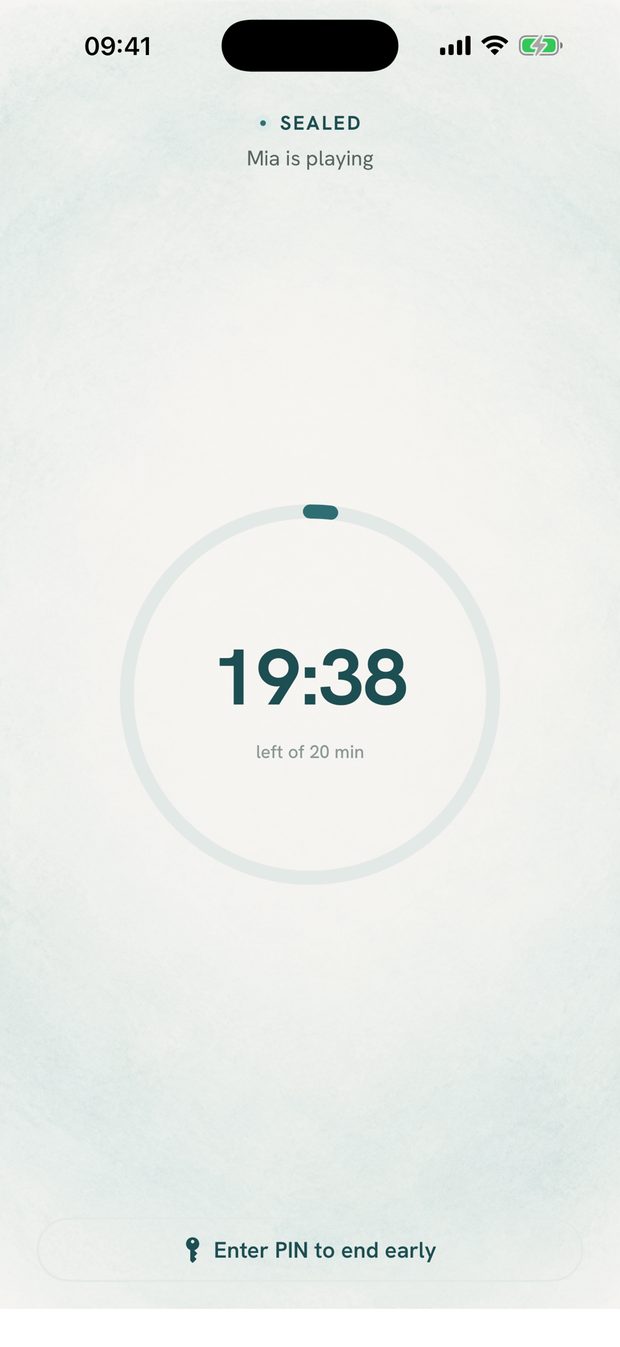
Pacifier seals your device to the handful of apps you choose. Your messages, photos, mail and accounts stay sealed away while your kid plays — enforced by iOS, so it holds even if the app is force-quit.
offline · no account · no servers
You know the hand-off.
The restaurant. The waiting room. The work call you can't miss. You unlock your phone, open one app, and pass it to a small, curious person — and then you watch.
Because one swipe lands them in your messages. One tap fires off a half-typed email. A long-press deletes the album from the trip. Pacifier is the calm version: set it up once, and every hand-off after that is three seconds.
Three seconds, every time
-
1
Pick a profile
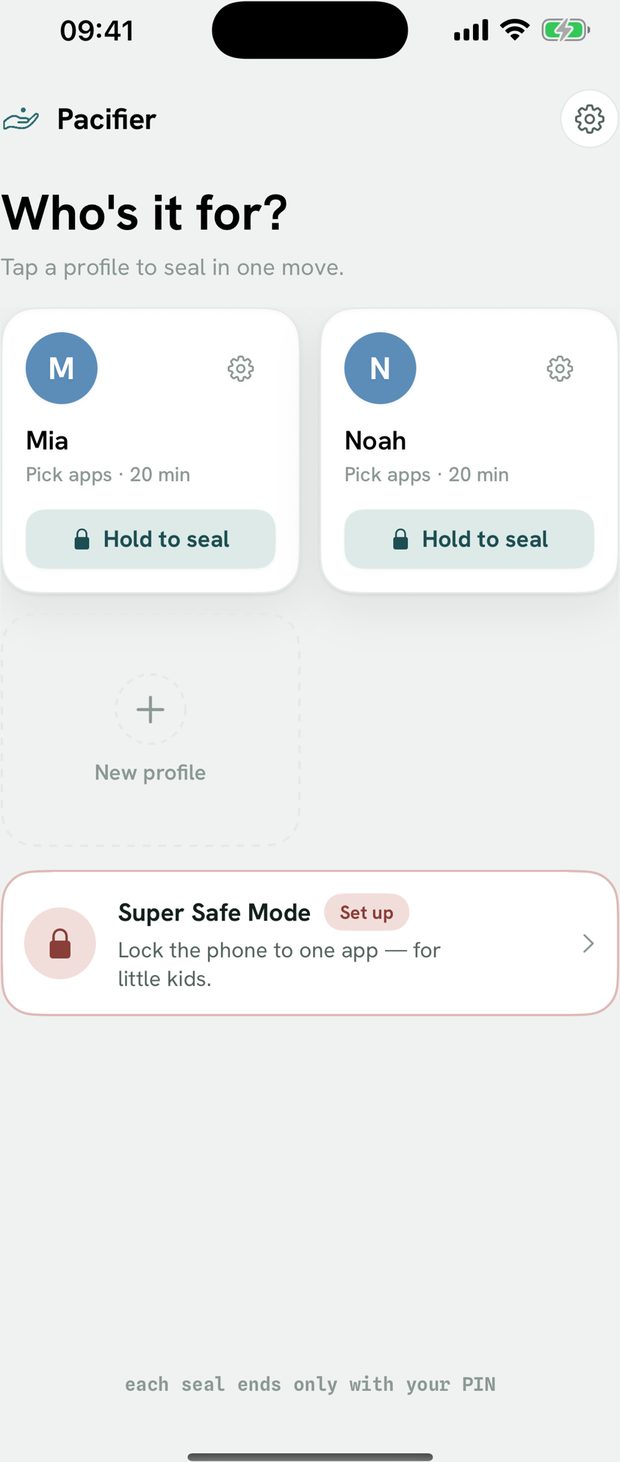
Each child gets their own allowed apps, session length and battery floor.
-
2
Hold to seal
Everything but the allowed apps goes behind an OS-enforced shield.
-
3
Hand it over
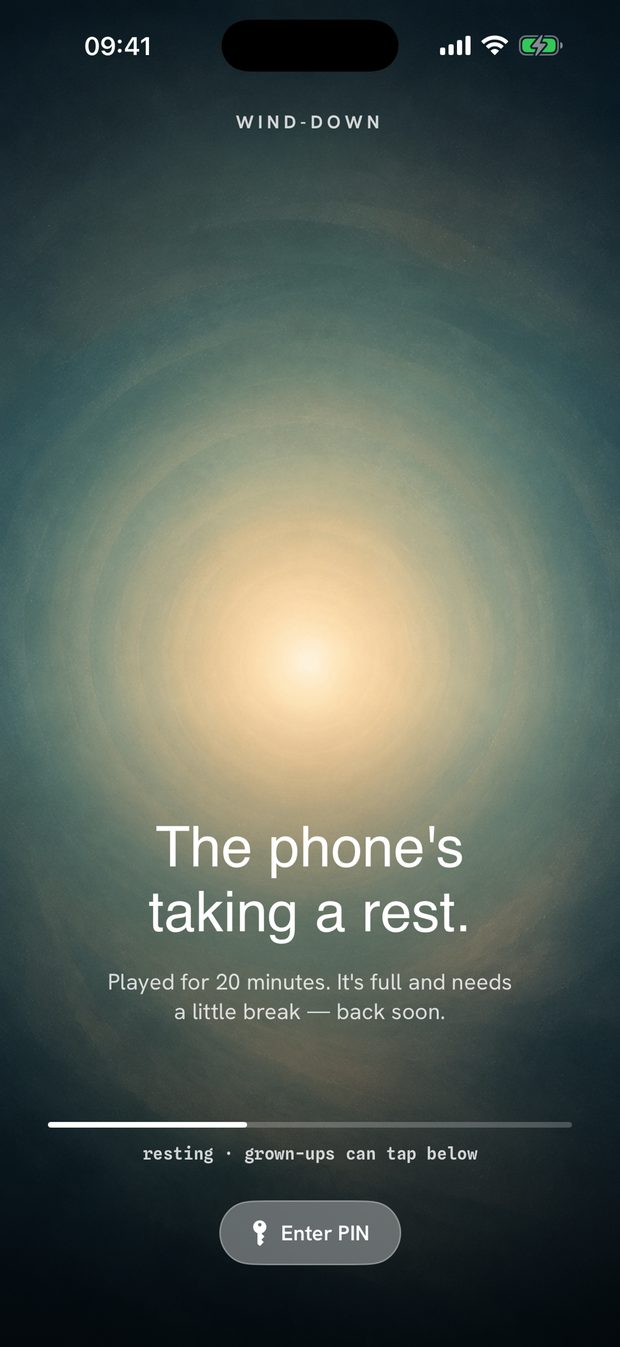
When time is up, a calm cool-down ends it. Your PIN unseals it.
Privacy, for real
Most “family safety” apps are data businesses wearing a parenting hat. Pacifier is the opposite. There's no account to make, nothing to sync, and nothing leaves your device — because there's nowhere for it to go.
- We can't see your data. Pacifier never reads who you text, what you browse, or your Screen Time reports.
- Fully offline. No cloud, no servers, no syncing. It works the same in airplane mode.
- No account, ever. No email, no sign-up, no profile of your family sold to anyone.
The full details are in the privacy notice.
What it doesn't do
Pacifier is not a substitute for supervision, and we'd rather say so than let you find out later.
- Super Safe Mode uses Apple's Guided Access, which you start yourself. Pacifier explains it clearly, but no app can turn it on for you on a normal device.
- No app can force notification previews to hide. We walk you through the setting instead of pretending it's automatic.
- A determined older child who knows your PIN can end a session. The PIN is the lock; pick one they won't guess.
Pay once. Or don't pay at all.
Start with 30 free hand-offs — no card, no account. When you're ready, choose whichever suits you.
Best value · pay once
Lifetime
$20
one time
Yours for good, on all your devices.
Monthly
$4.99
per month
Cancel any time in your App Store account.
Prices shown in USD; your local App Store price may differ. Subscriptions renew until cancelled. Requires iOS or iPadOS 26.5.